Stop losing ₹50,000+ per project to unrecorded change orders, the wrong BOQ version, WhatsApp threads and Excel sheets.
Replace the Excel sheet and the WhatsApp thread with one system: quotations, BOQs, vendors, change orders, site updates and payments - sent the way you always send them, tracked so nothing gets lost.
From Sanskrit vismaya, which means wonder. The feeling your spaces create. The chaos of running them shouldn't get in the way.
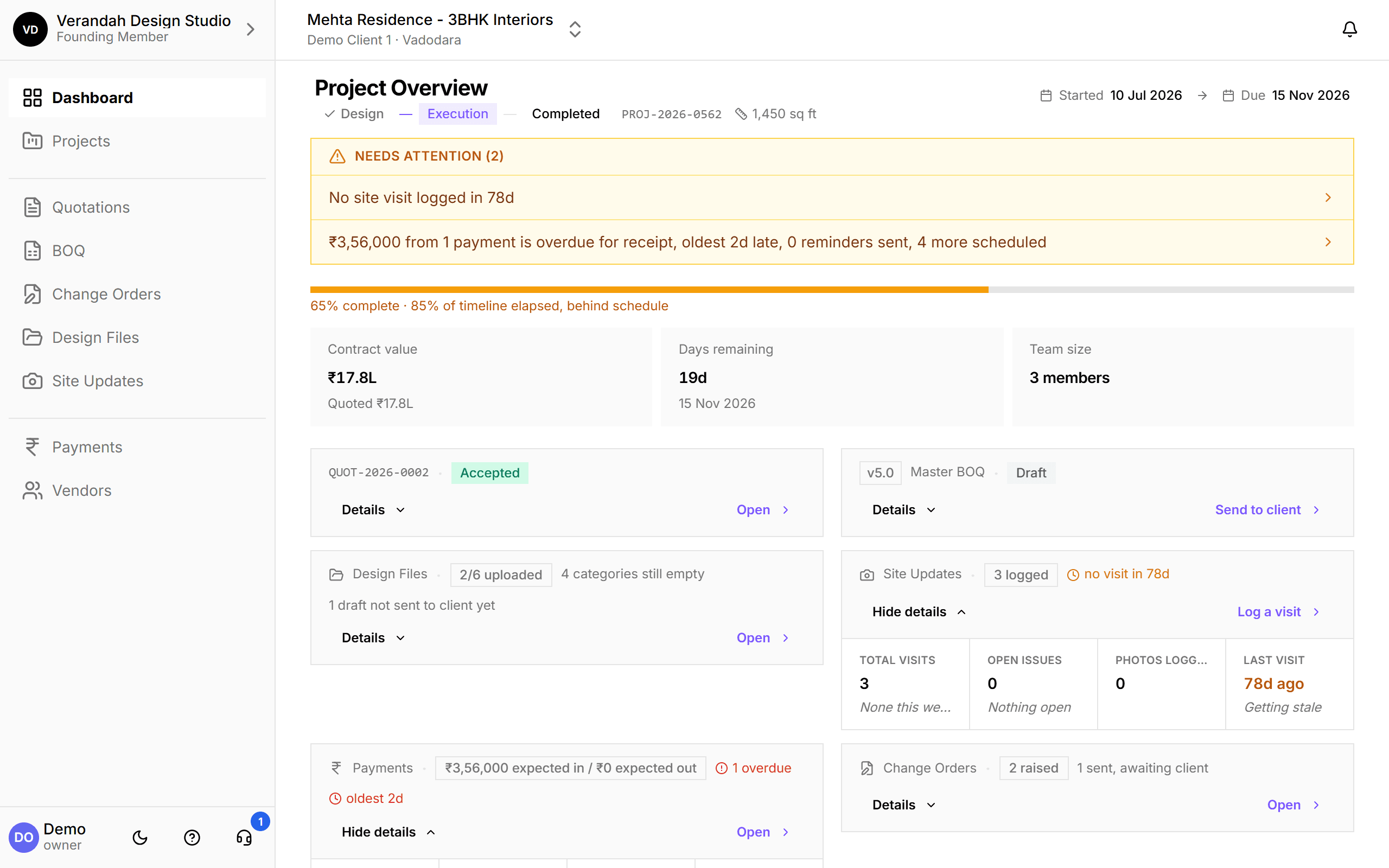
Everything about your project lives somewhere else.
You send Version 7 of a BOQ; the client's spouse is looking at Version 5. A client asks for tile instead of marble over a phone call, and it never makes it onto the bill. Three firms are splitting the electrical work, and which lines each one agreed to, at what rate, is in a chat somewhere. Floor plans and renders sit in fifty different WhatsApp threads. And when a client asks how the kitchen is coming along, you spend twenty minutes scrolling your camera roll for the photo.
Sent over WhatsApp. Tracked in Vismayum.
You still talk to clients the way you do today. What changes is what you send: not a PDF that goes stale the moment you revise a rate, but a link that always opens the latest version - reviewed and approved on their phone, no app, no login.
Quotation
Room-by-room, GST auto-calculated.
BOQ
Every version kept.
Shared
One link, however you send it.
Approved
Same link, on their phone.
One system. Every stage of your project.
A professional quotation before your client loses interest
Build a quotation room-by-room or by trade in minutes. Vismayum calculates GST for you - CGST + SGST or IGST, depending on where the client is. Share a link instead of a PDF, so it always opens the latest version, and the client approves on their phone. Once accepted, one click turns it into your project's BOQ.
View details: Quotations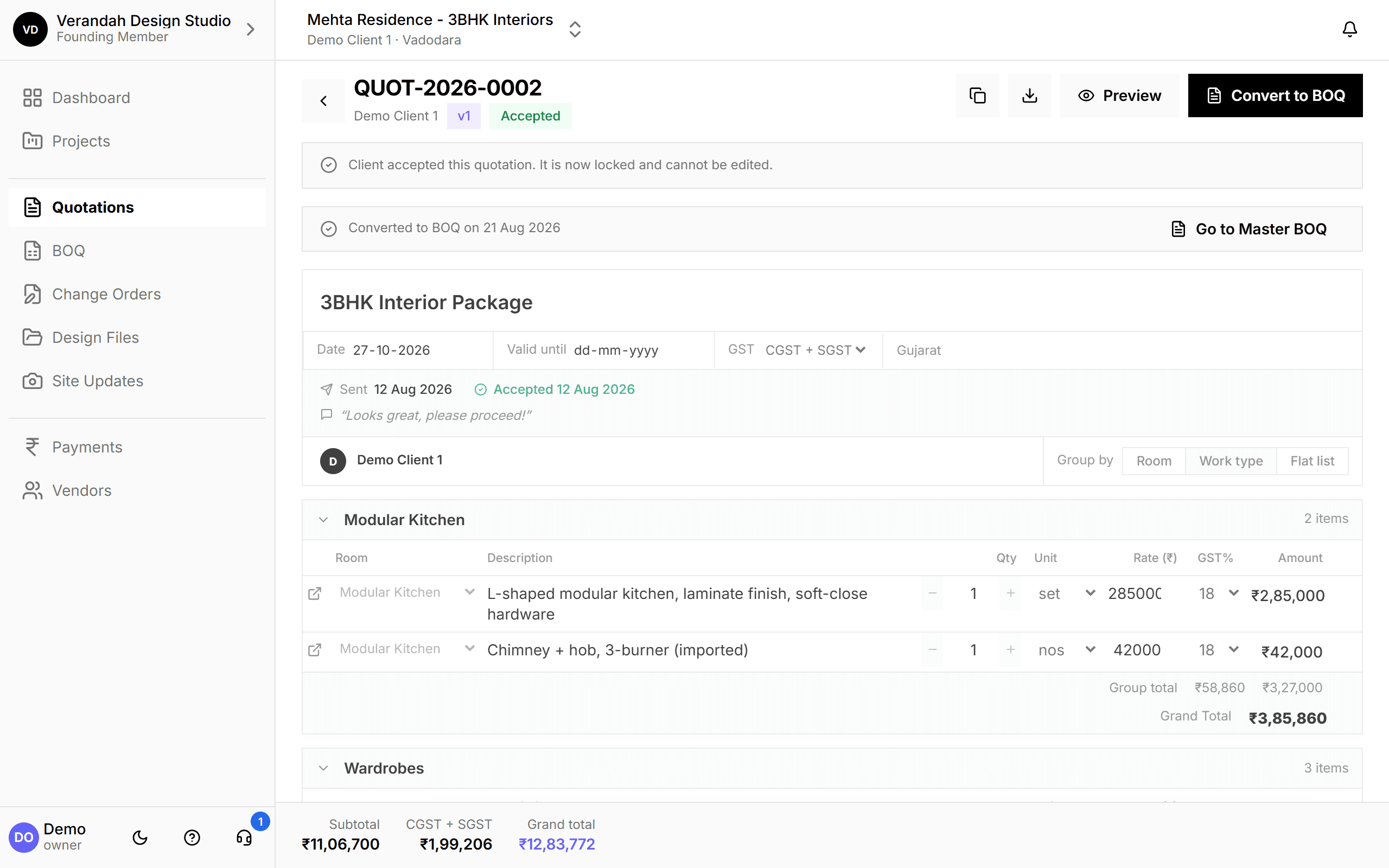
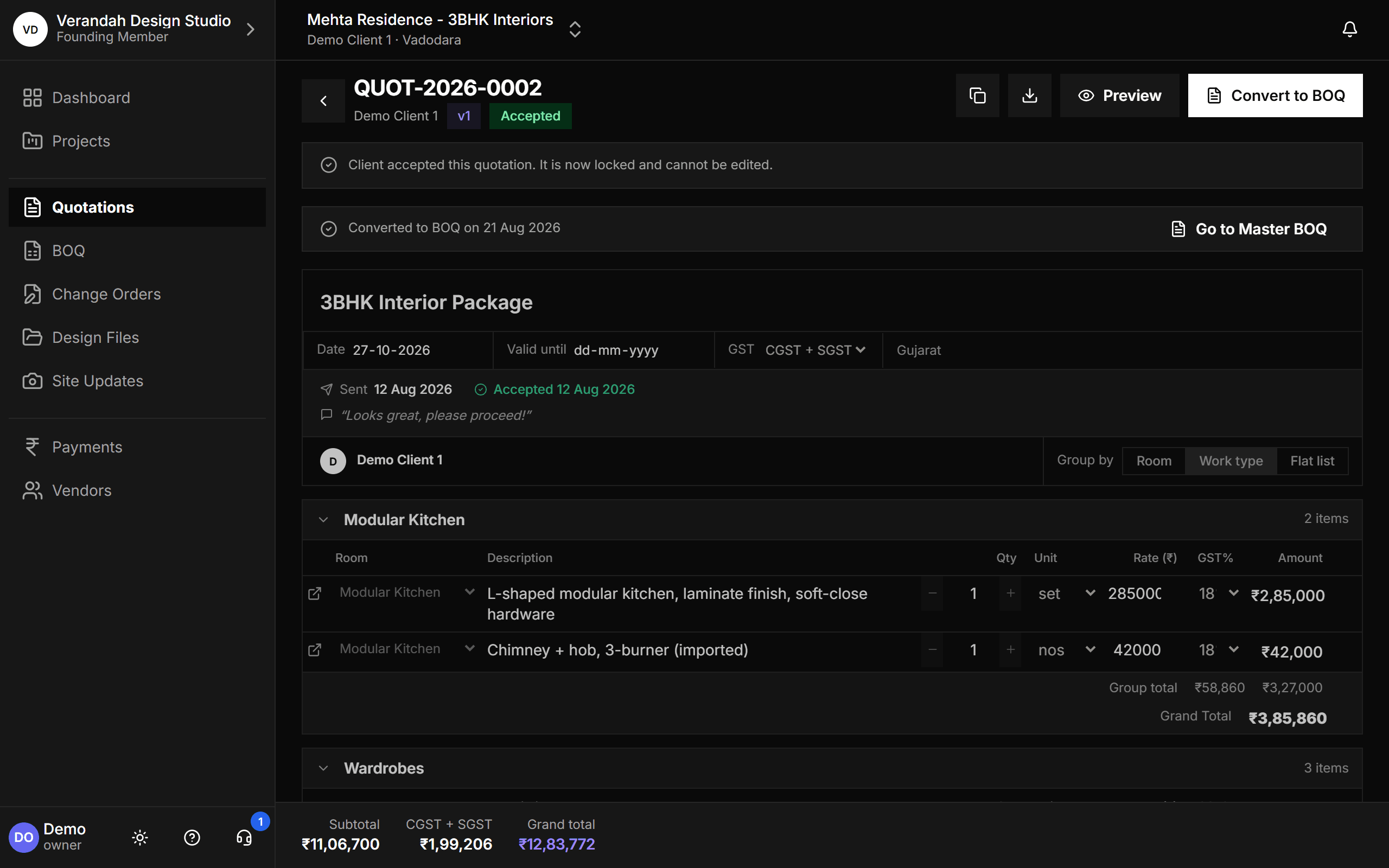
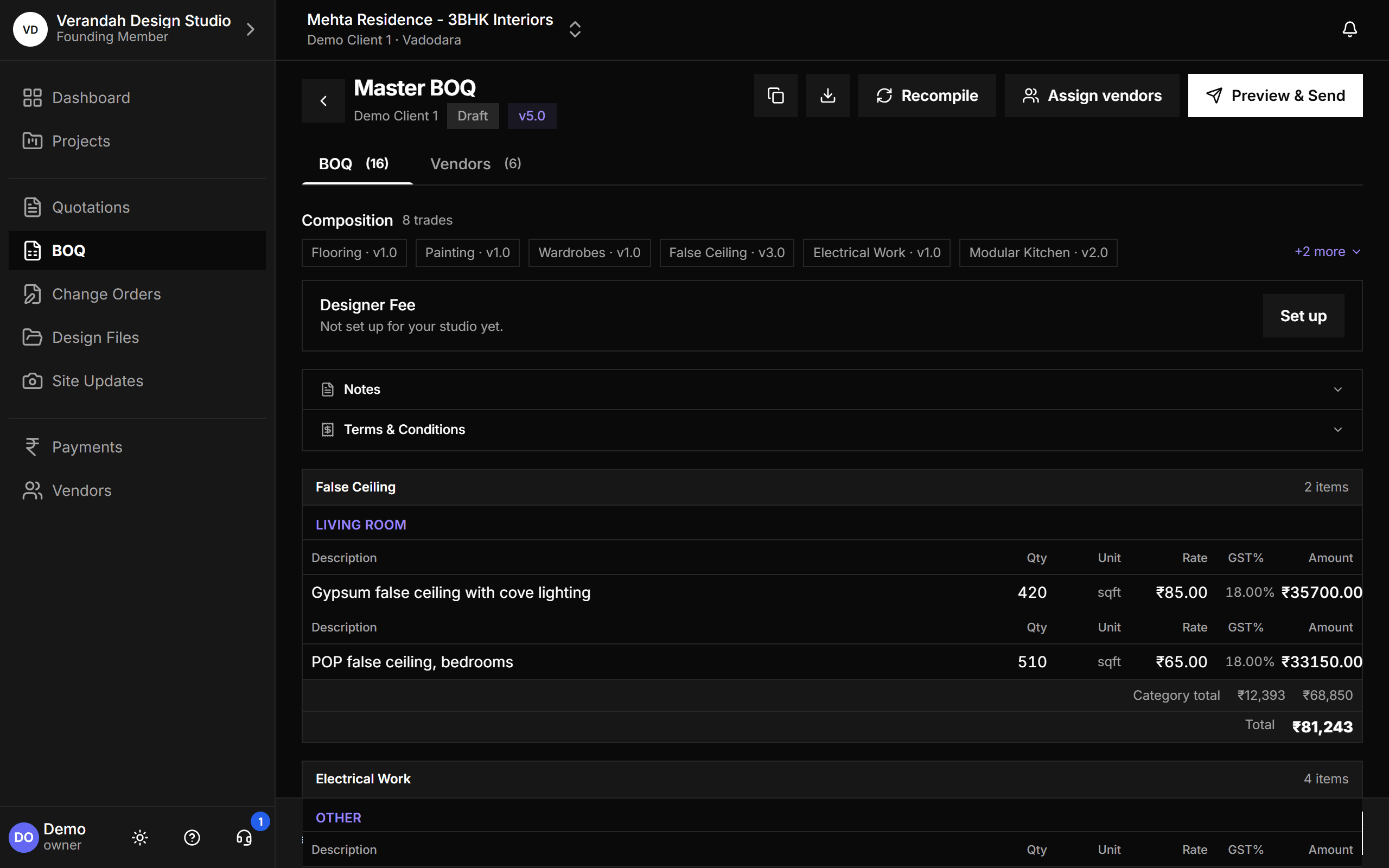
Every version of the BOQ, without losing the trail
Keep one BOQ per trade and compile them into a single Master BOQ for the client. Every revision is a new version, the client approves on a link, and GST is handled your way: exclusive, inclusive or none. Add your Designer Fee, clean up duplicate trades, and see which firm is doing every line.
View details: BOQ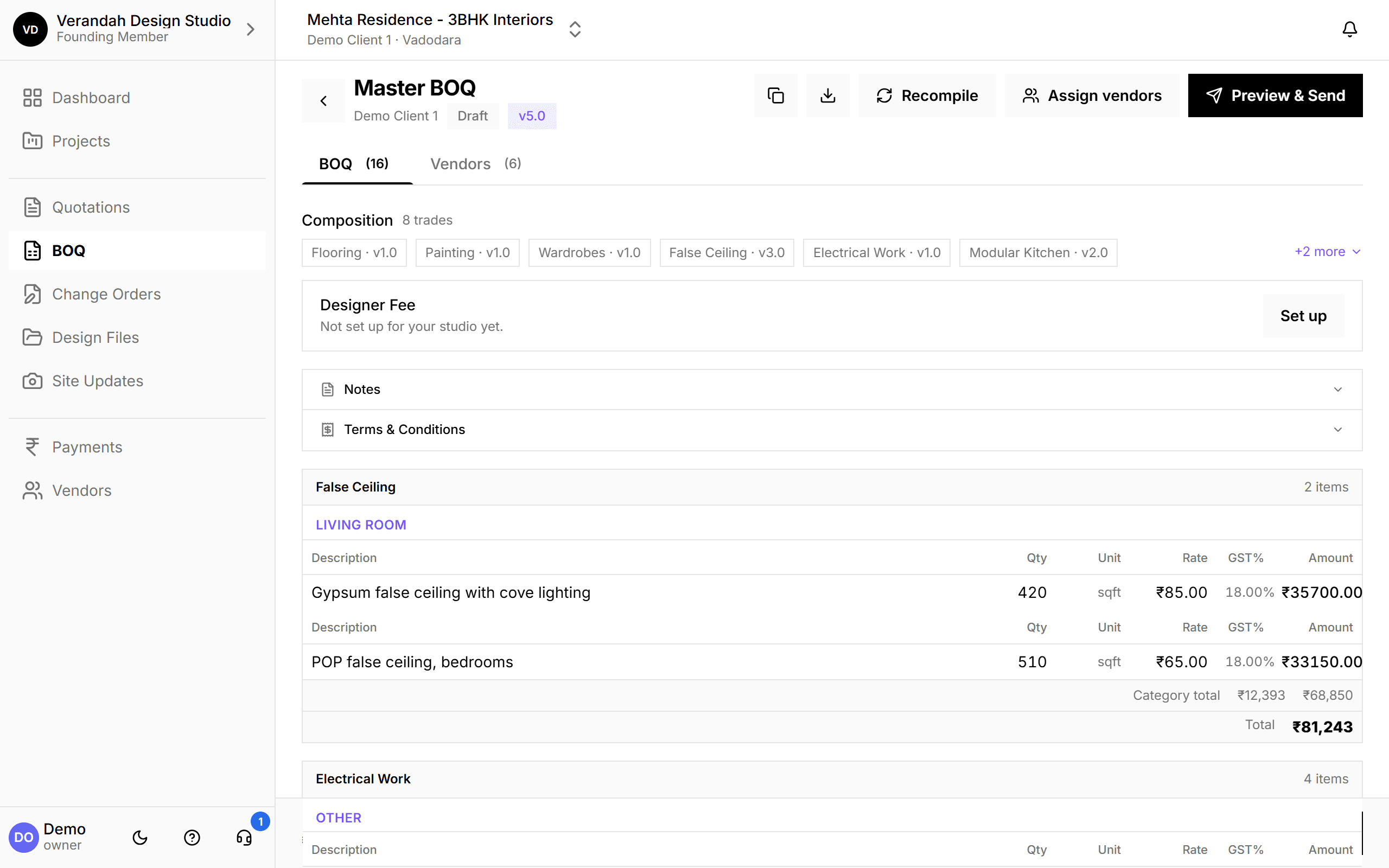
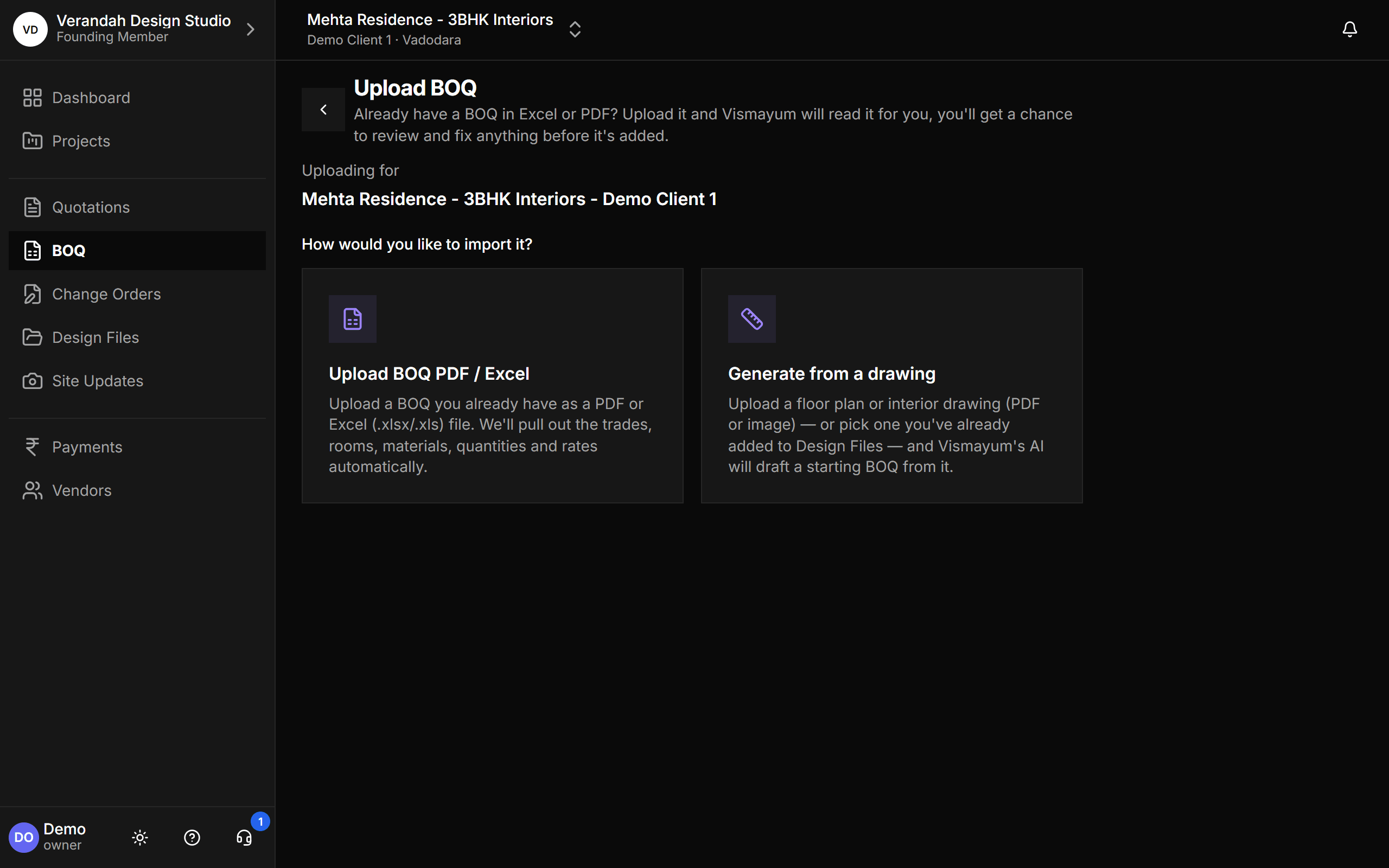
Already have a BOQ? Don't retype it - upload it
Drop in an Excel or PDF BOQ and Vismayum reads it for you: trades, rooms, materials, quantities and rates. It works out how your file is laid out, matches everything to your studio in plain language - "Matched," "Possible match," "New" - and you confirm before anything is created. Start from a floor plan instead, or save the template you begin every job from.
View details: BOQ Import & Templates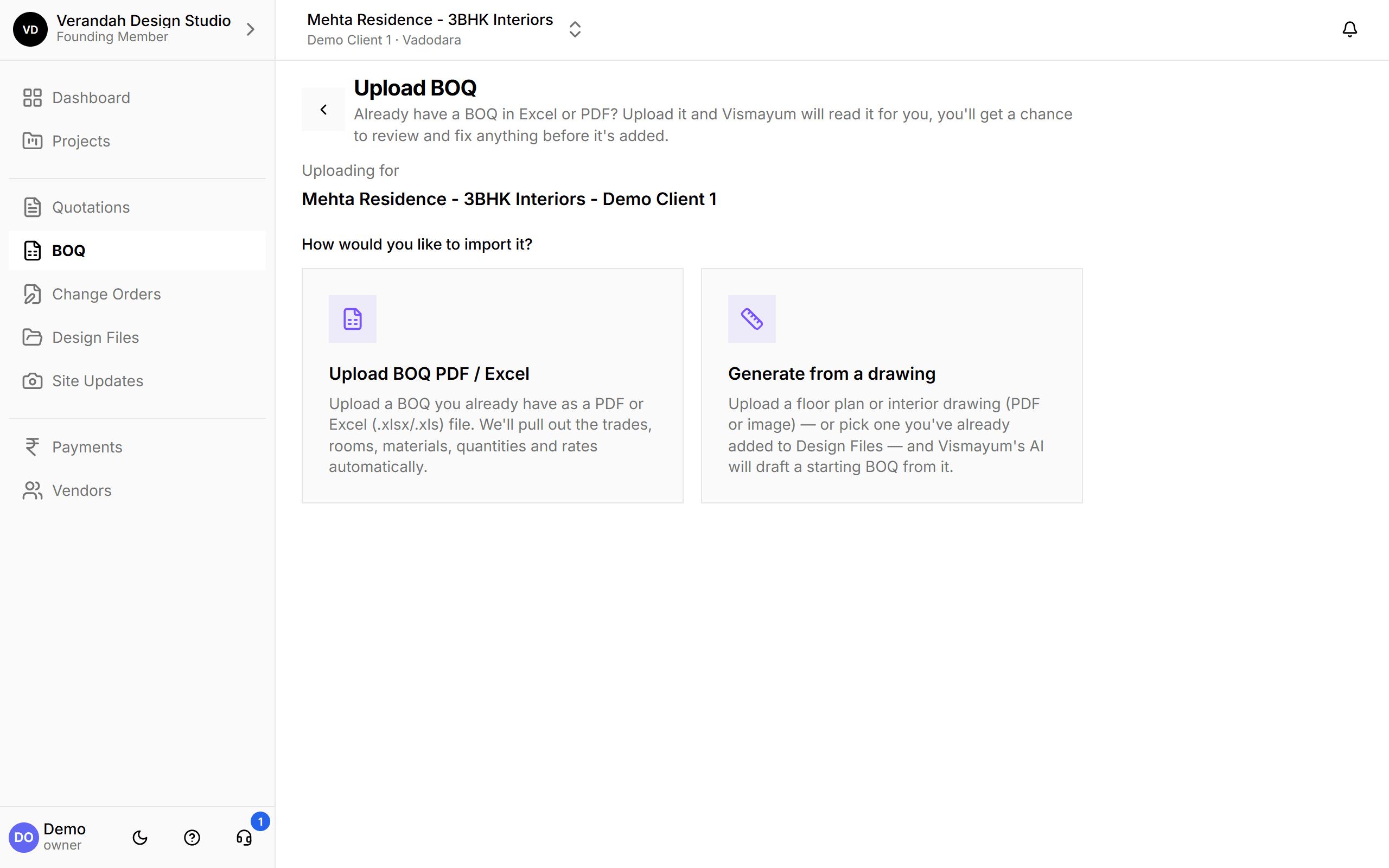
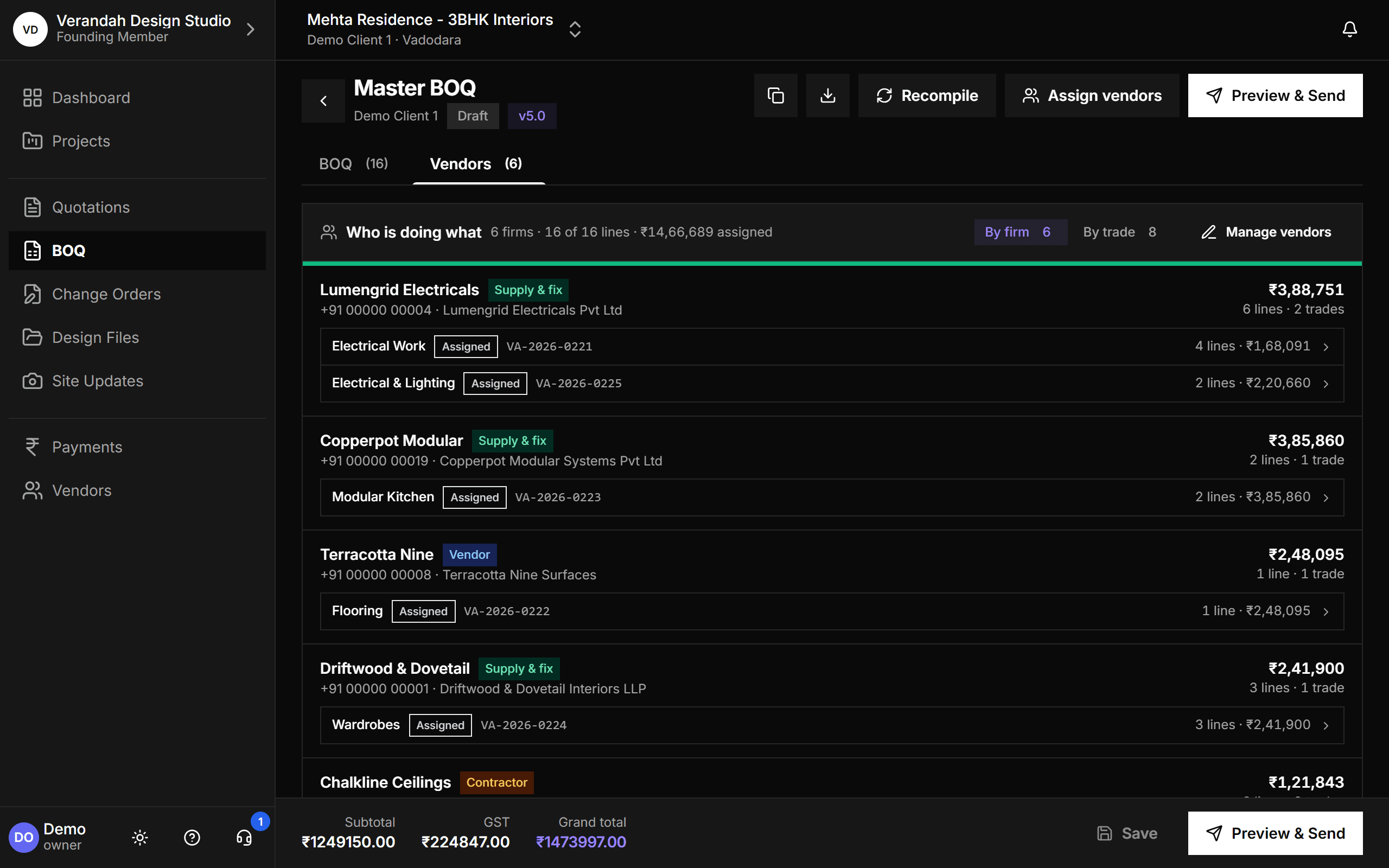
Know which firm is doing every line of the BOQ
Keep every vendor, contractor and supply-and-fix firm in one directory, with the trades they cover and their GST, MSME and TDS details. Assign BOQ lines to firms - one trade split across several is normal - and email each firm its work order with the full line-item table. One screen shows who is doing what across the whole project.
View details: Vendors & Work Orders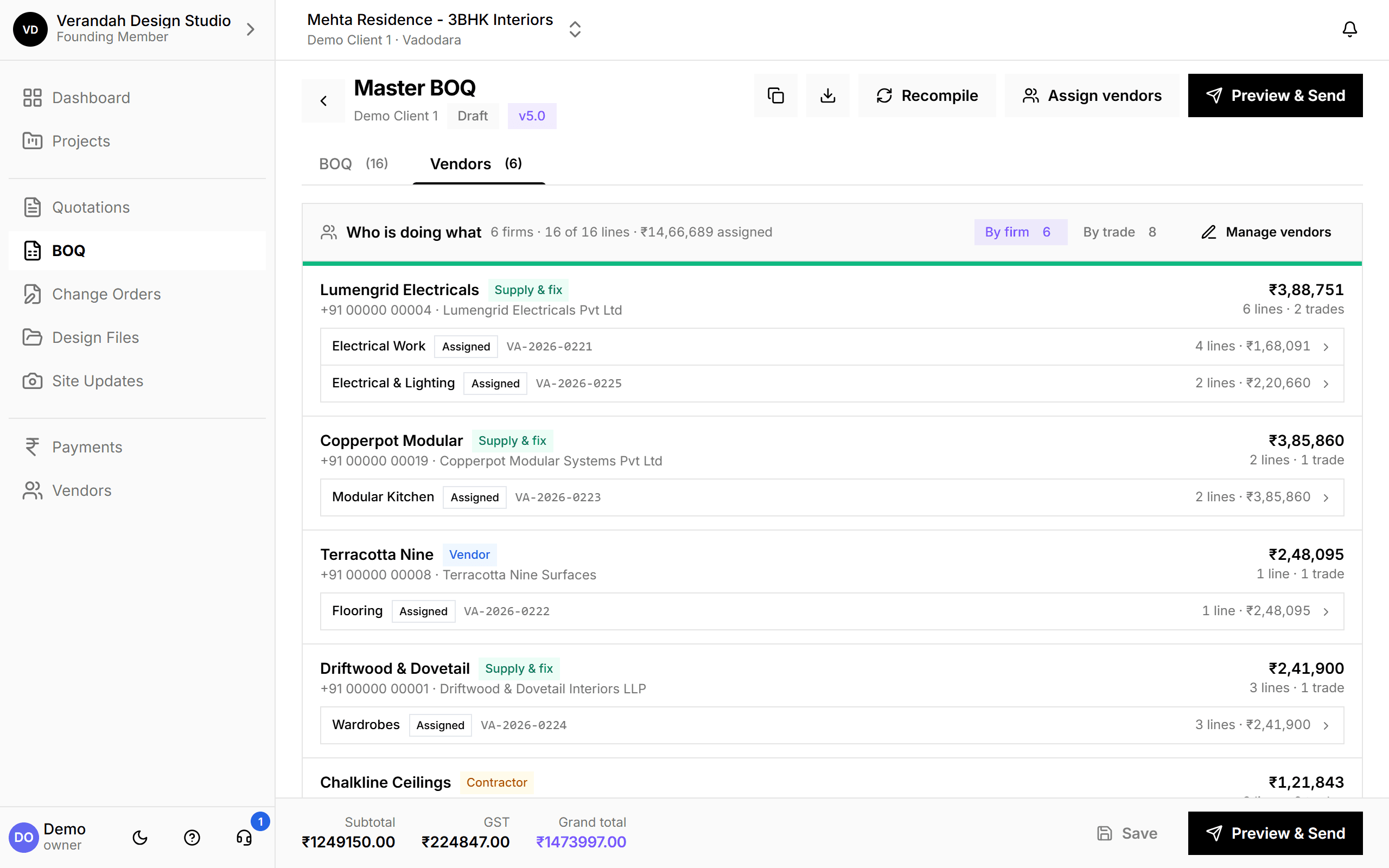
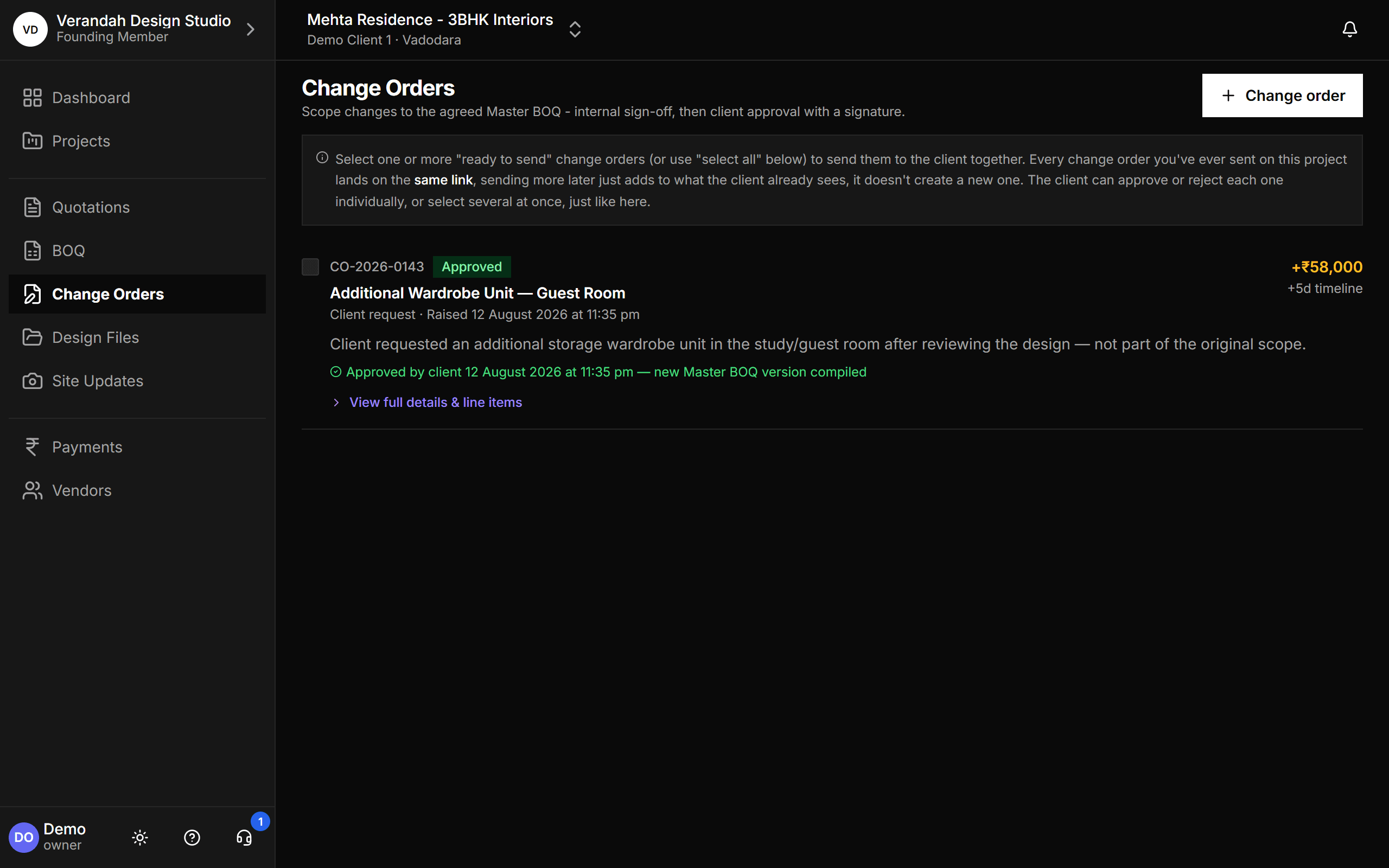
Turn a verbal change into a billed, approved line item
"Actually, let's change the marble to tiles." Raise a change order, list what's added or removed and the cost and timeline impact. It's signed off internally, then the client approves on a link with their signature - and a new Master BOQ version is compiled automatically, so nothing is missed at billing.
View details: Change Orders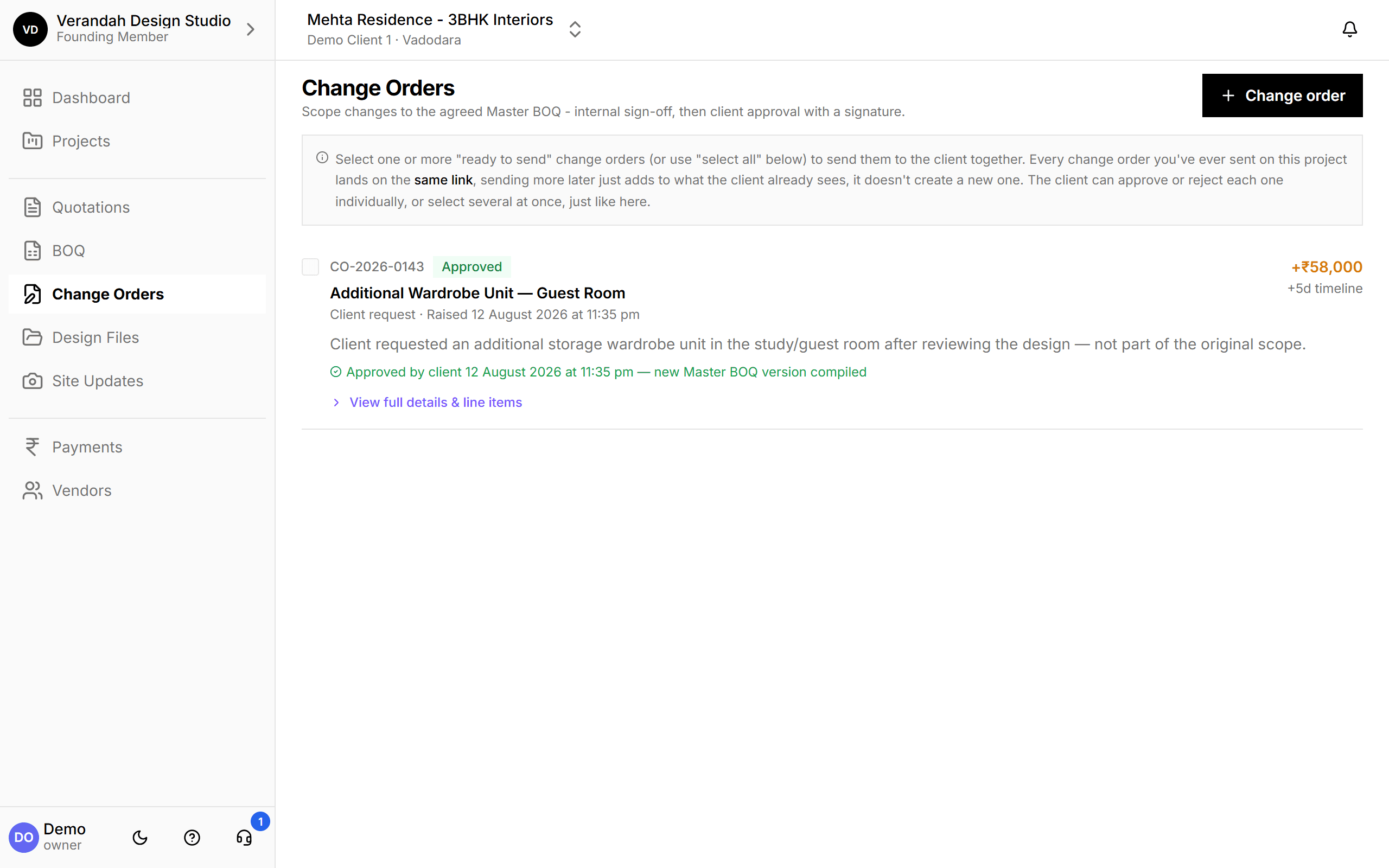
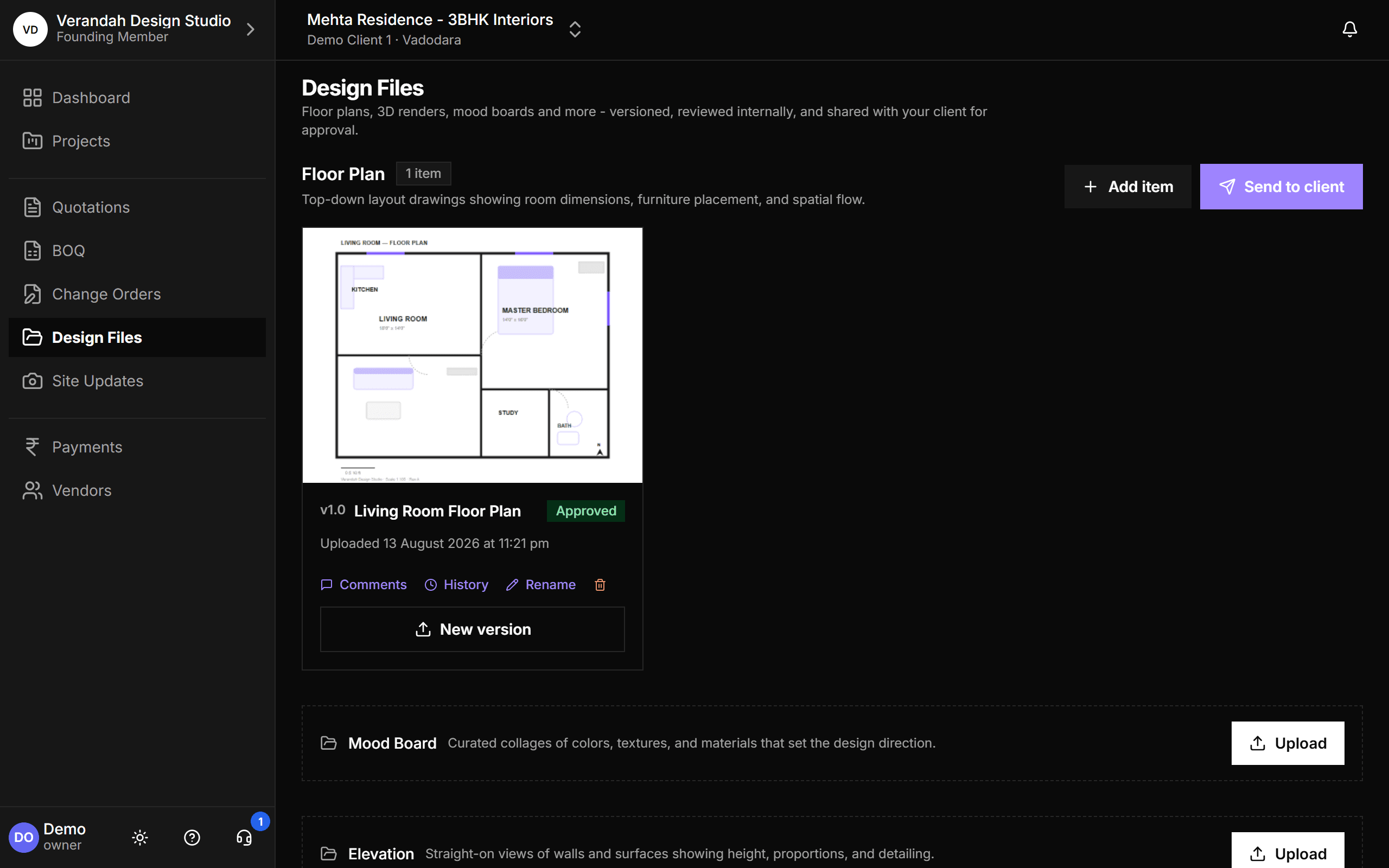
One version of the floor plan everyone actually looks at
Upload floor plans, renders, mood boards and elevations, organised by category, every version kept. Share the link over WhatsApp or email like always - it opens whatever's latest. The client views it on their phone and approves or leaves feedback, timestamped.
View details: Design Files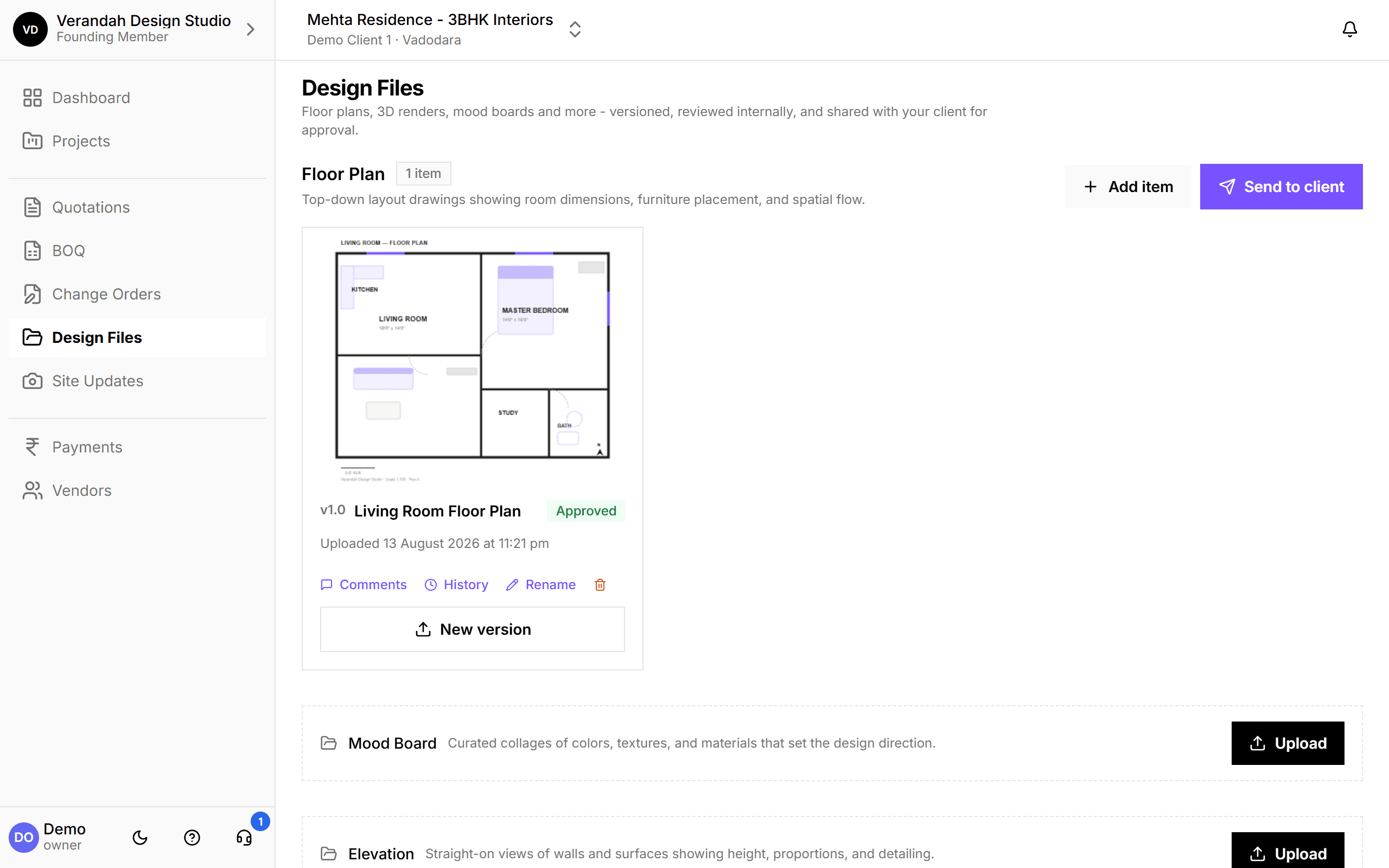
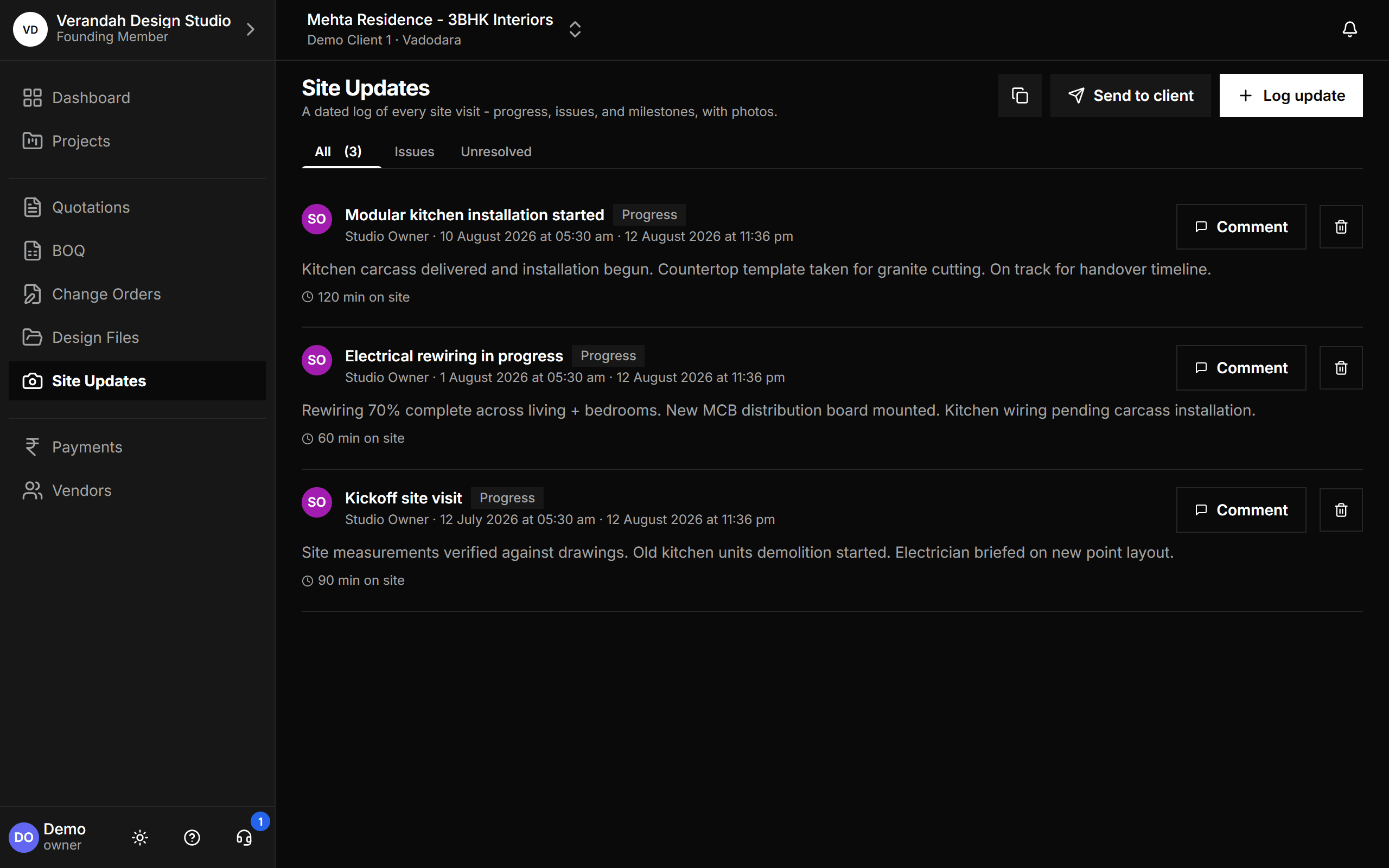
Every site photo, by room and date - not buried in a chat
Log a visit, add a note, upload photos. Share however you normally would - it reaches the client the same way, but lives in one dated timeline they can scroll through, instead of fifty messages deep in a group chat.
View details: Site Updates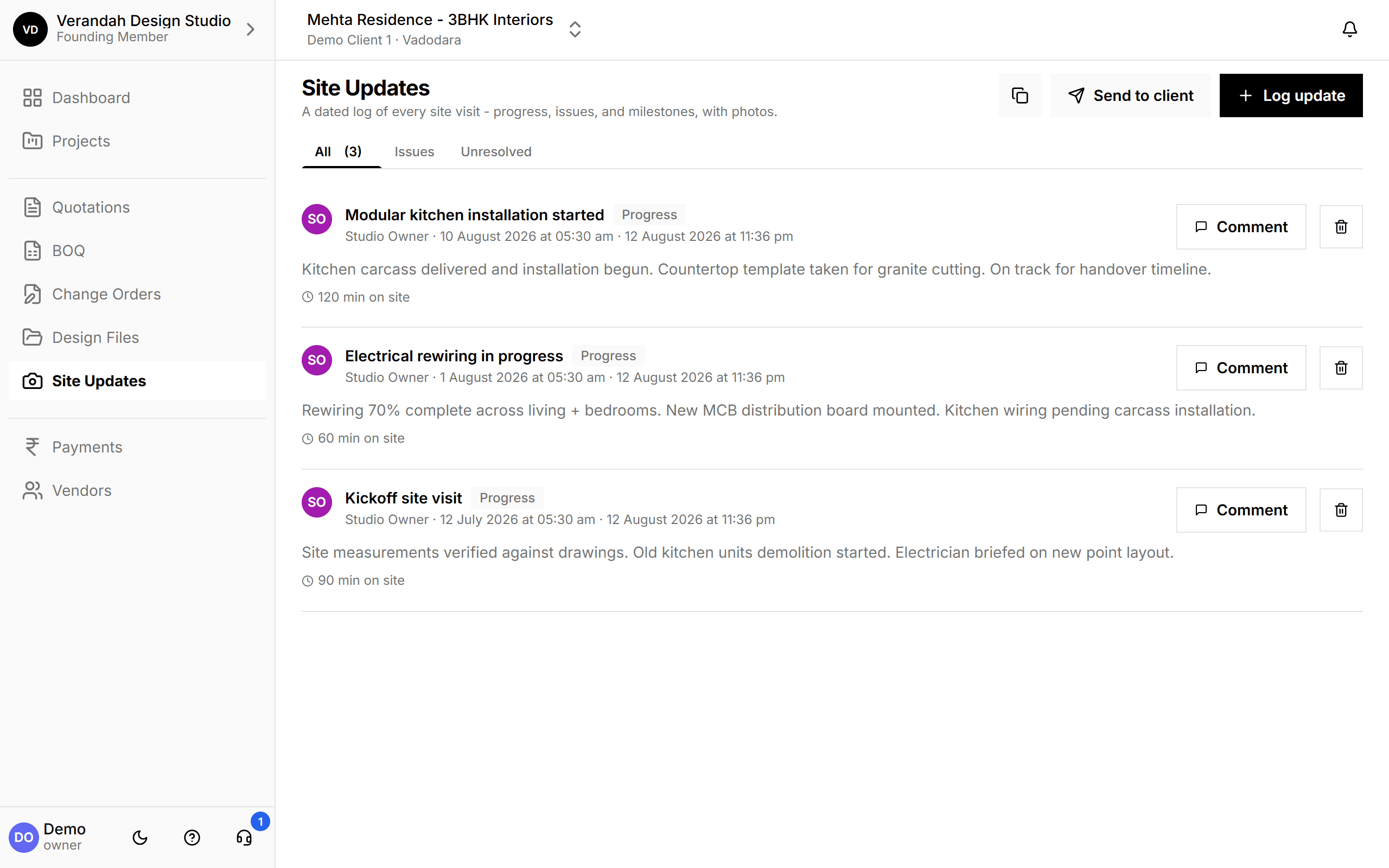
Know who owes you, who you owe, and who needs a nudge
Track every payment you expect from a client and every one you owe a firm - by project or across the studio. Create them straight from the BOQ or a vendor's work order instead of retyping amounts. Status stays honest on its own, reminders go out on schedule until it's settled, and the Schedule summary lays out the whole job's payment plan the way your Excel sheet does.
View details: Payments & Reminders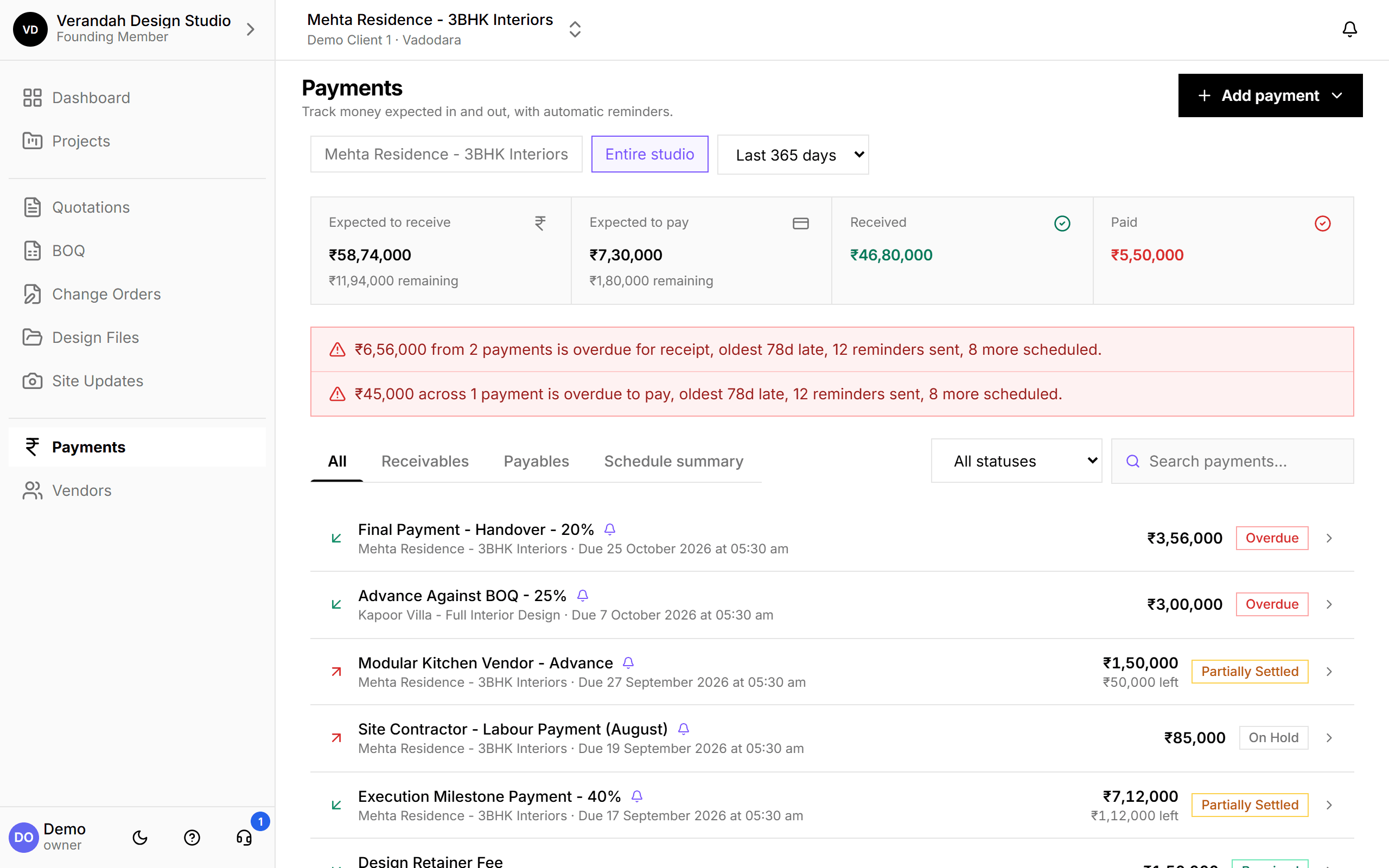
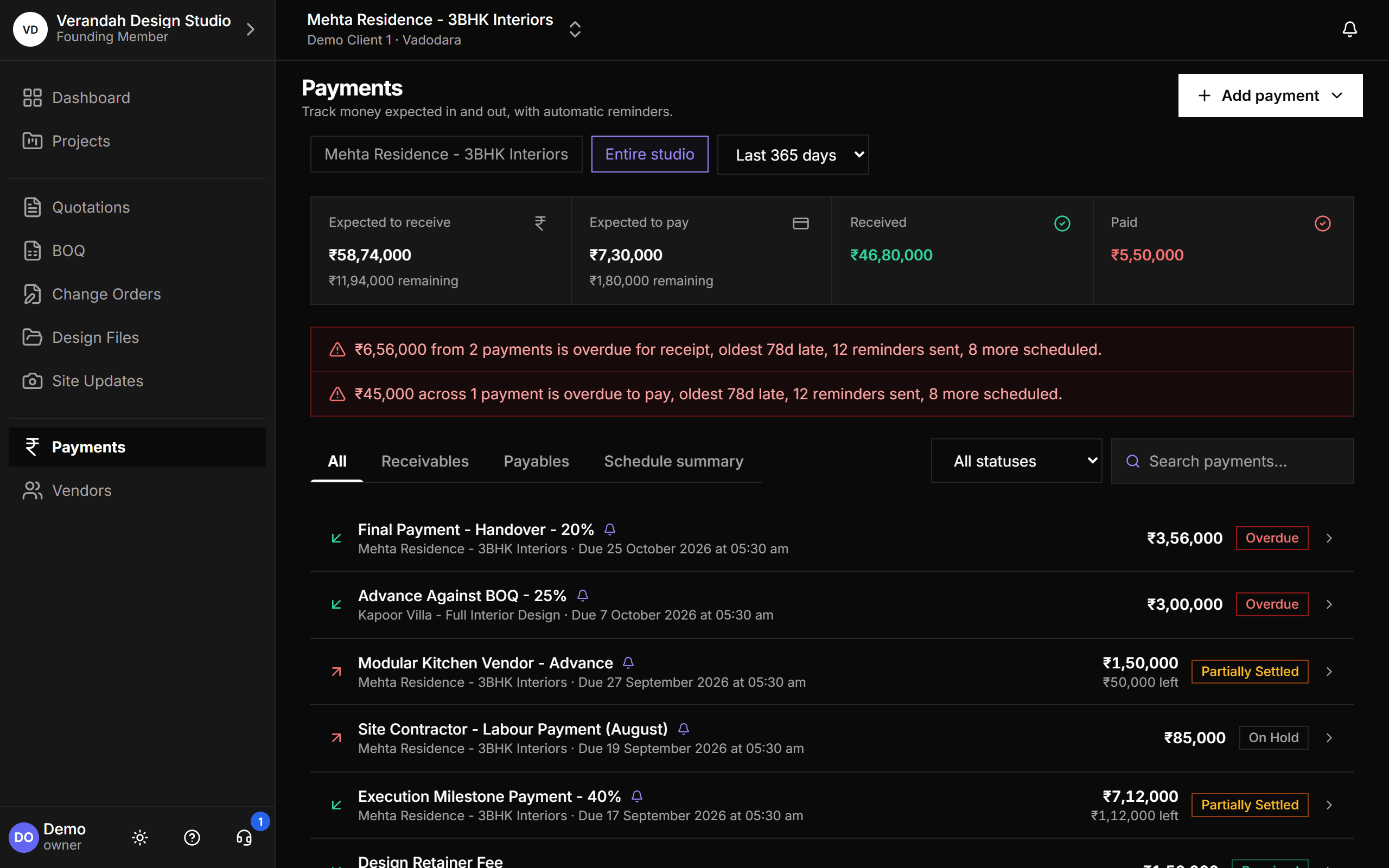
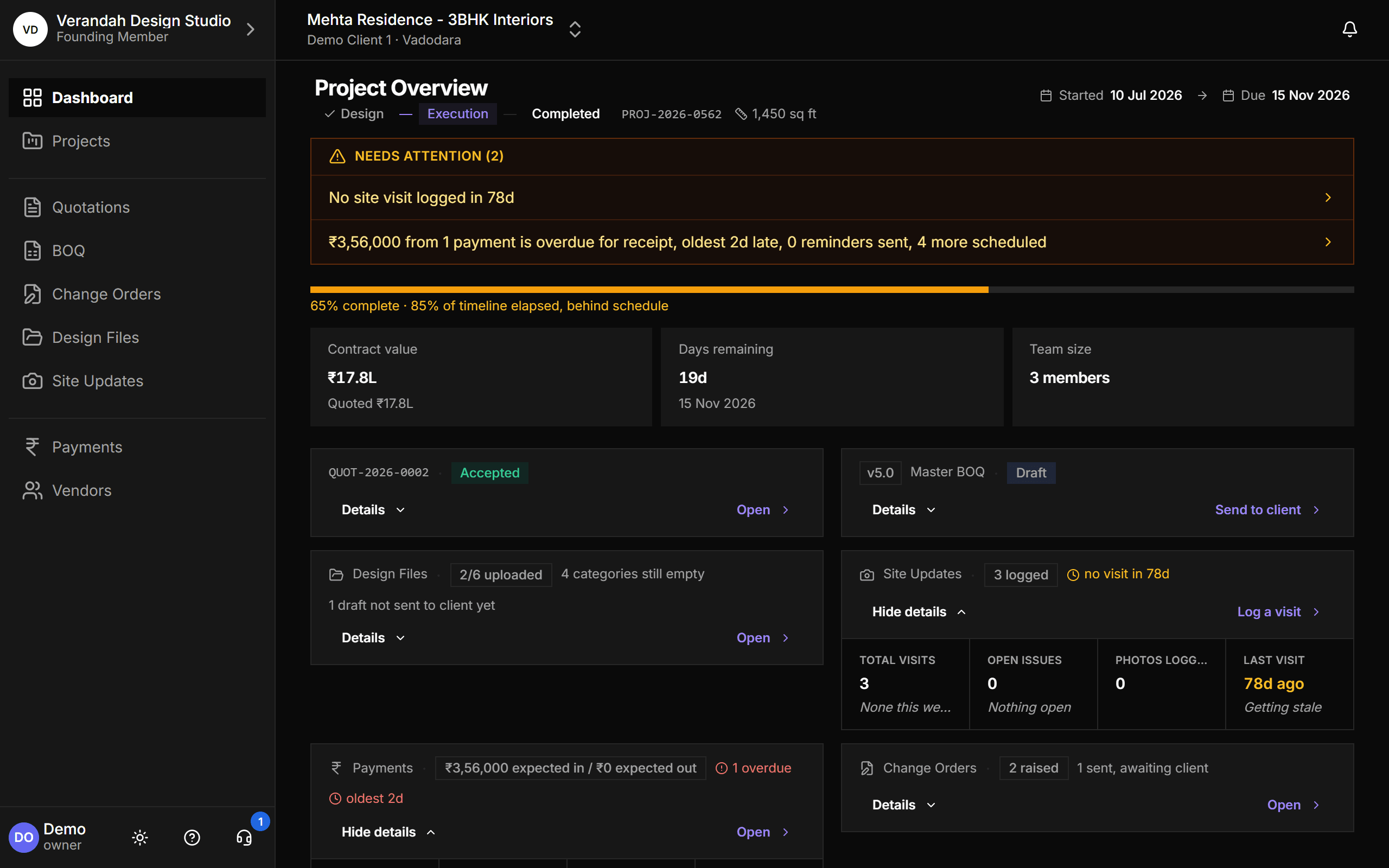
Every project. One place.
Quotations, BOQs, vendors, change orders, design files and payments - all connected, all tracked, nothing missed.
Built for Indian interior designers.
Freelance designer
4-8 projects a year, ₹5-15L each
Stay organized without hiring an admin. Vismayum is the assistant you can't afford to hire yet.
Small studio
3-15 people, 10-25 projects a year
One source of truth so your team stops working out of scattered Excel files and separate WhatsApp threads.
Tired of disputes
Anyone who's had a billing-time argument
Clients don't remember what they approved. Vendors claim they delivered what they didn't. Vismayum gives you a paper trail.
One plan. Priced per person.
No tiers to decode and no features held back. Everyone on your team gets everything - you only pay for the seats you actually use.
30-day free trial · No credit card required
- Unlimited projects
- Quotations, BOQs & change orders
- Vendors, contractors & emailed work orders
- Client approval links - no login needed
- Design files & site updates
- Payments in and out, with automatic reminders
- GST handling built in
Questions? Answered.
Try it on your next project.
Start with a 30-day free trial - no credit card, no sales call, nothing to pick. Bring one real project, run it end to end, and decide after. You also get a direct line to the team building it.
Already using Vismayum? Sign in
Stop running your projects from WhatsApp.
Book your free walkthroughAll data shown - project names, amounts, client details - is fictional test data