Site updates in one dated timeline
Every visit, every photo and every issue on site, in one dated feed for the project. Your team logs it, the client follows along on one link, and the dashboard tells you when a site hasn't been visited in a while.
30-day free trial · No card required
- Each update
- Note, photos, time on site
- Issues
- Tracked until resolved
- Client
- One link for the whole feed
Start to finish, in 3 steps
- 01
Log
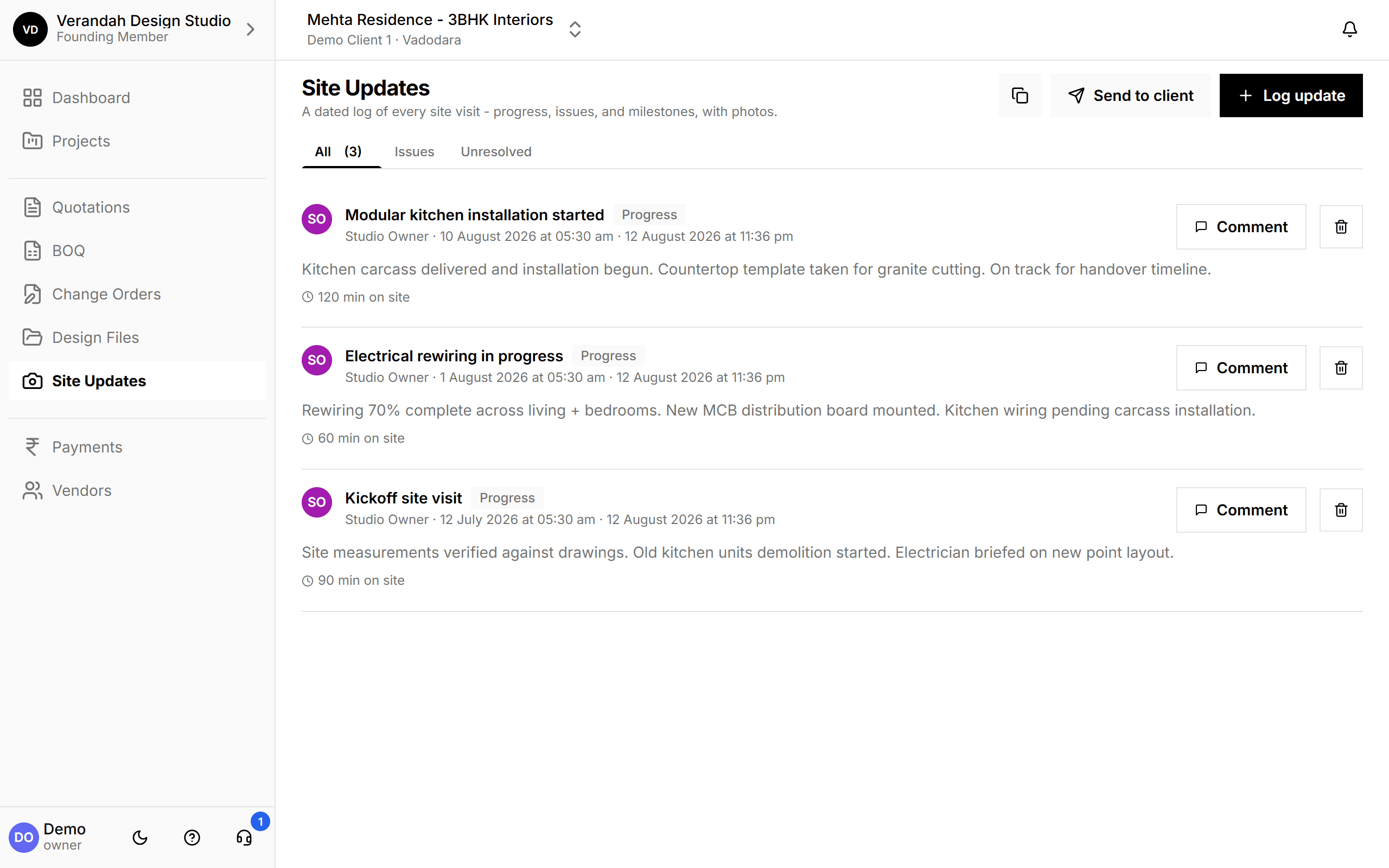
Add a visit with a note, photos and how long you were on site.
- 02
Flag
Mark issues and track them until they're resolved.
- 03
Share
Send the client one link; new updates appear on it automatically.
What Site Updates can do
One timeline the client can actually follow
Updates are listed newest first with who logged them and when. Filter to issues, or only the unresolved ones. Your team can comment on any update, and the client sees the whole feed on a single link.
- Dashboard warns when there's been no visit for a while
- Photos stay attached to the visit they were taken on
Try it on your next project.
Start with a 30-day free trial - no credit card, no sales call, nothing to pick. Bring one real project, run it end to end, and decide after. You also get a direct line to the team building it.
Already using Vismayum? Sign in
Stop running your projects from WhatsApp.
Book your free walkthroughAll data shown - project names, amounts, client details - is fictional test data